Image to Face
Status: Implemented
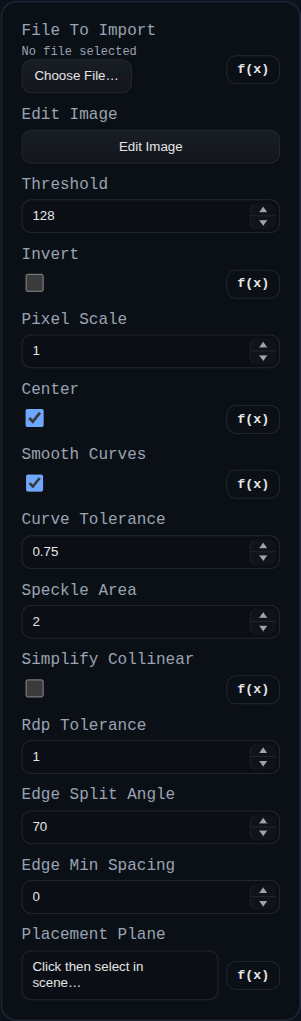
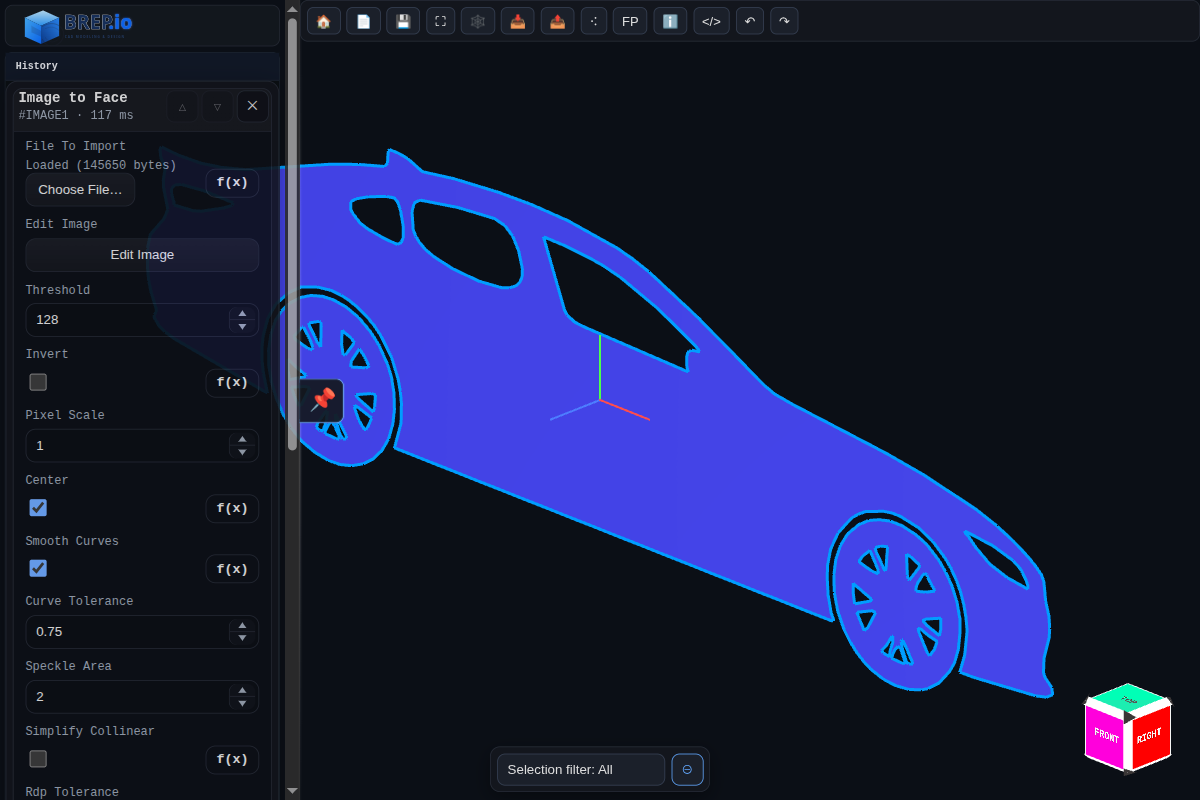
Image to Face traces a PNG into sketch geometry that can be consumed by downstream modeling features.
Inputs
fileToImport– source PNG payload.editImage– opens the integrated paint-style editor and writes the edited image back into the feature.threshold/invert– foreground classification controls.pixelScale/center– traced geometry scale and centering behavior.smoothCurves/curveTolerance– optional curve fitting controls.speckleArea– drops tiny loops below the configured pixel area.simplifyCollinear/rdpTolerance– polyline simplification controls.edgeSplitAngle/edgeMinSpacing– controls for splitting traced loops into edge segments.placementPlane– optional target plane/face for placement.
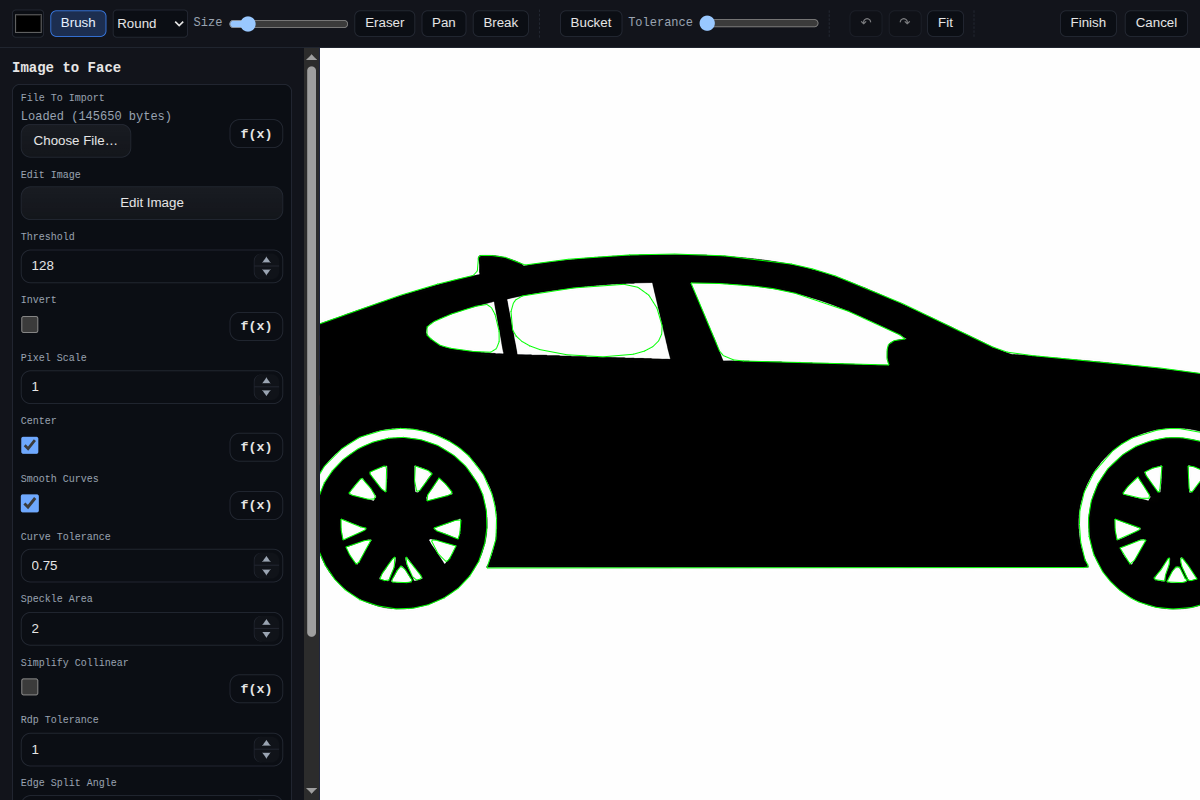
Shared Image Editor
This feature uses the shared editor documented at Image Editor (Shared).
Relevant editor functions for Image to Face:
- Raster editing: brush, eraser, bucket fill, pan/zoom, canvas resize, undo/redo.
- Trace-assist controls: live vector overlay, manual break placement/removal (
Breaktool), and persisted break metadata. - Sidebar parameter editing (when opened from this feature) so trace parameters can be adjusted while editing.
How to use:
- Click
Edit Image. - Draw/clean the bitmap and optionally tune trace behavior.
- Click
Finishto push the edited PNG back intofileToImport, then rebuild the feature.
Behaviour
- Decodes image data, traces contour loops, applies optional smoothing/simplification, and discards invalid/intersecting loops.
- Emits a
SKETCHgroup with a triangulated face plus edge polylines, including boundary-loop metadata for downstream features. - If
placementPlaneis provided, maps traced geometry into the selected plane/face basis; otherwise uses world default placement. - Stores editor/breakpoint state in feature data so manual image edits and split decisions survive rebuilds.